
Text
Text is a drawable item that renders a single-line text string onto an Imagick canvas.
It automatically scales the font size down so the text fits within the provided drawing box,
and supports alignment via Gravity, as well as margin, padding, and border.
Constructor
Section titled “Constructor”public function __construct( ImagickDraw $draw, // Text style: fill, font, font size (starting value), etc. string $text, // The content to draw int $initialFontSize = 60, // Starting font size for auto-fit int $minFontSize = 10, // Minimum font size for auto-fit Gravity $gravity = Gravity::TOP_LEFT // Text alignment inside the box)Example
Section titled “Example”$draw = draw(fill: 'black');$draw->setFont('DejaVu-Sans');
$drawBorder = draw(stroke: 'red', strokeWidth: 10);
$text = new Text( $draw, 'Hello World', initialFontSize: 72, minFontSize: 24, gravity: Gravity::CENTER);
// Optional spacing and border$text->setMargin(10);$text->setPadding(8);$text->setBorder($drawBorder);$text->setLetterSpacing(2);$text->setWordSpacing(10);
// Draw onto image$text->draw($imagick, $x, $y, $width, $height);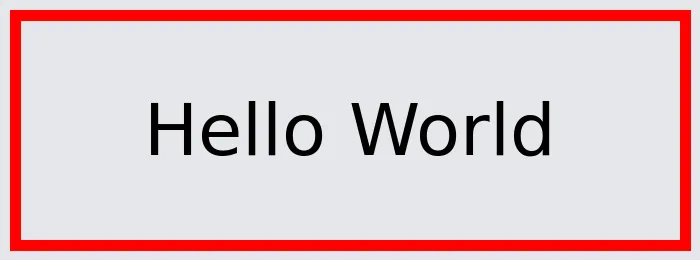
Letter and word spacing
Section titled “Letter and word spacing”setLetterSpacing(float $spacing)adds extra space, in pixels, between characters (proxiesImagickDraw::setTextKerning()).setWordSpacing(float $spacing)adds extra space, in pixels, between words (proxiesImagickDraw::setTextInterwordSpacing()).
Template
Section titled “Template”The same text as a template:
{ "type": "text", "text": "Hello World", "fill": "black", "font": "DejaVu-Sans", "fontSize": 72, "minFontSize": 24, "gravity": "center", "margin": 10, "padding": 8, "border": { "stroke": "red", "strokeWidth": 10 }, "letterSpacing": 2, "wordSpacing": 10}