
GridContainer
GridContainer arranges its child items onto a two-dimensional grid, similar to CSS display: grid. Columns and rows are defined as tracks: a fixed pixel size, or null for a track that shares the remaining space evenly with the other null tracks on that axis. Items are placed onto explicit column/row coordinates, or auto-placed in row-major order (left to right, top to bottom) into the next free cell when no coordinates are given.
Defining tracks
Section titled “Defining tracks”$container->setTemplateColumns(200, null, null); // 200px, then two equal-width columns$container->setTemplateRows(null, null); // two equal-height rowsIf setTemplateColumns() is never called, the grid defaults to a single auto column (items stack vertically, one per implicit row). Rows are always implicit if setTemplateRows() is never called or doesn’t have enough tracks for the items you add — extra rows are added automatically and share the remaining height evenly, the same way CSS grid’s implicit rows work.
$container->setGap(20); // 20px gap on both axes$container->setGap(20, 10); // row-gap 20px, column-gap 10pxAdding items
Section titled “Adding items”$container->addItem($item); // auto-placed into the next free cell$container->addItem($item, column: 1, row: 0); // explicit placement$container->addItem($item, columnSpan: 2); // spans 2 columns, auto-placedcolumn/row must be given together — a partial coordinate (only one of the two) is treated the same as leaving both null. Explicit and auto-placed items can be mixed: explicit placements are reserved first, and auto-placed items flow around them, skipping any cell already covered by another item’s span.
Example
Section titled “Example”$container = new GridContainer;$container->setTemplateColumns(null, null, null);$container->setGap(10);$container->addItem(new Rectangle(draw(fill: '#fee2e2')));$container->addItem(new Rectangle(draw(fill: '#fca5a5')));$container->addItem(new Rectangle(draw(fill: '#dc2626')));$container->addItem(new Rectangle(draw(fill: '#450a0a')));$container->addItem(new Rectangle(draw(fill: '#7f1d1d')));
// Draw container onto image$container->draw($imagick, $x, $y, $width, $height);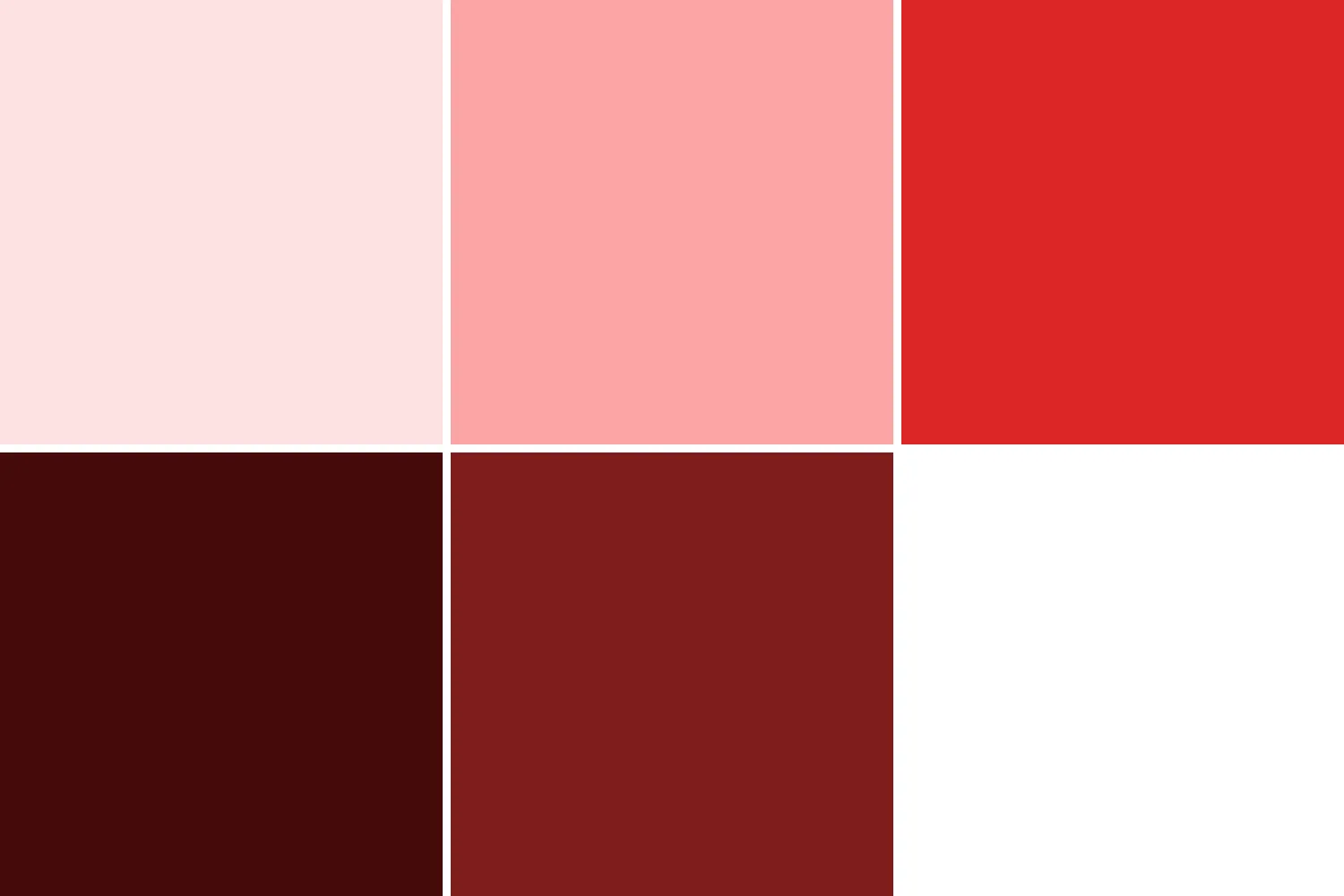
This produces a 3-column grid: the first four rectangles fill the top row and the first cell of the second row, and the fifth rectangle fills the next cell — the last cell of the second row is left empty since there’s no sixth item.
Limitations
Section titled “Limitations”- No
align-items/justify-items: children always fill their entire cell. - No CSS
fr-style weighting: allnulltracks share the remaining space equally.
Template
Section titled “Template”The same layout as a template:
{ "type": "grid", "templateColumns": [null, null, null], "gap": 10, "children": [ { "type": "rectangle", "fill": "#fee2e2" }, { "type": "rectangle", "fill": "#fca5a5" }, { "type": "rectangle", "fill": "#dc2626" }, { "type": "rectangle", "fill": "#450a0a" }, { "type": "rectangle", "fill": "#7f1d1d" } ]}